
Alpha
Color swatches to variables demo video
Pass with flying colors
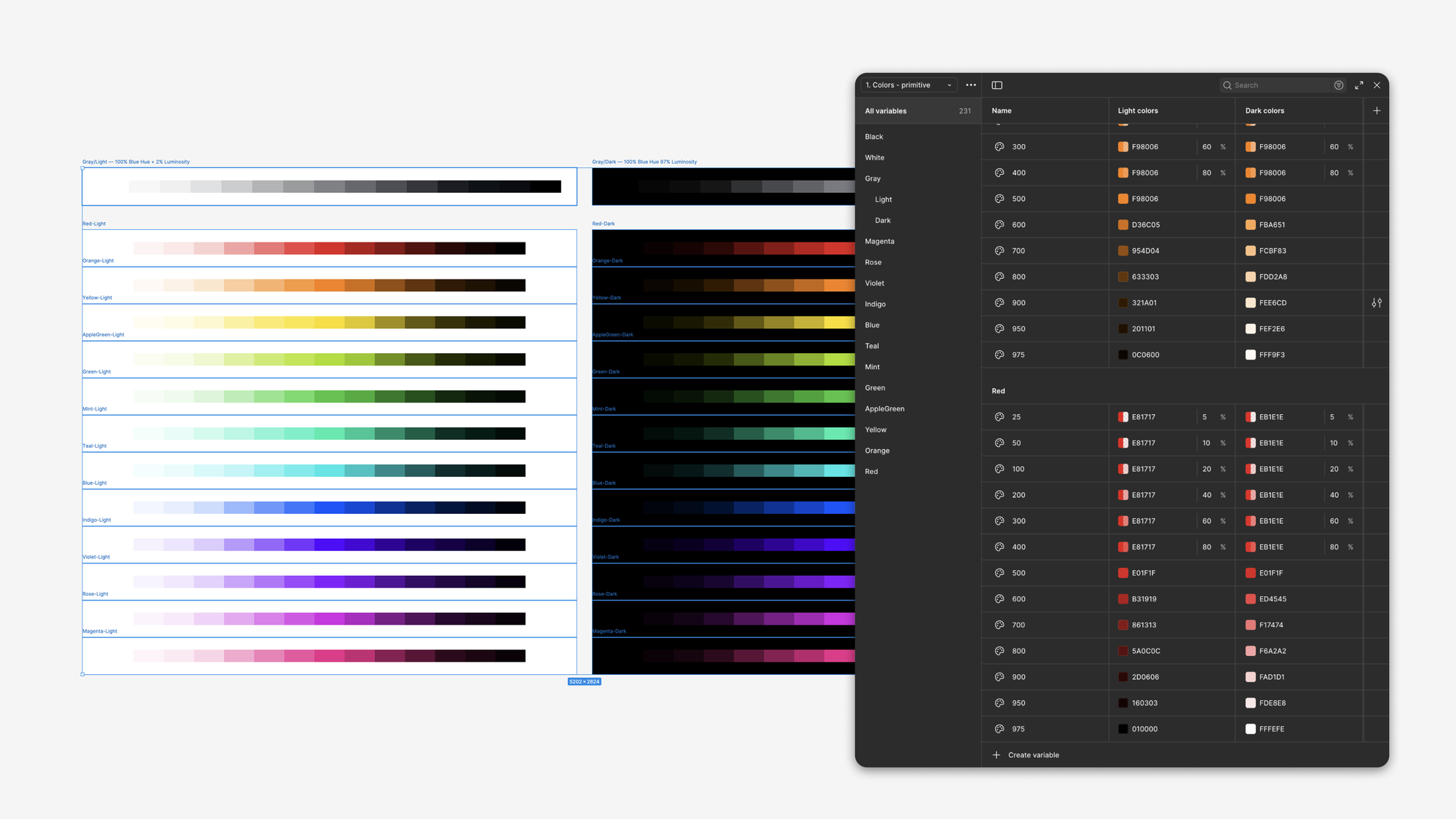
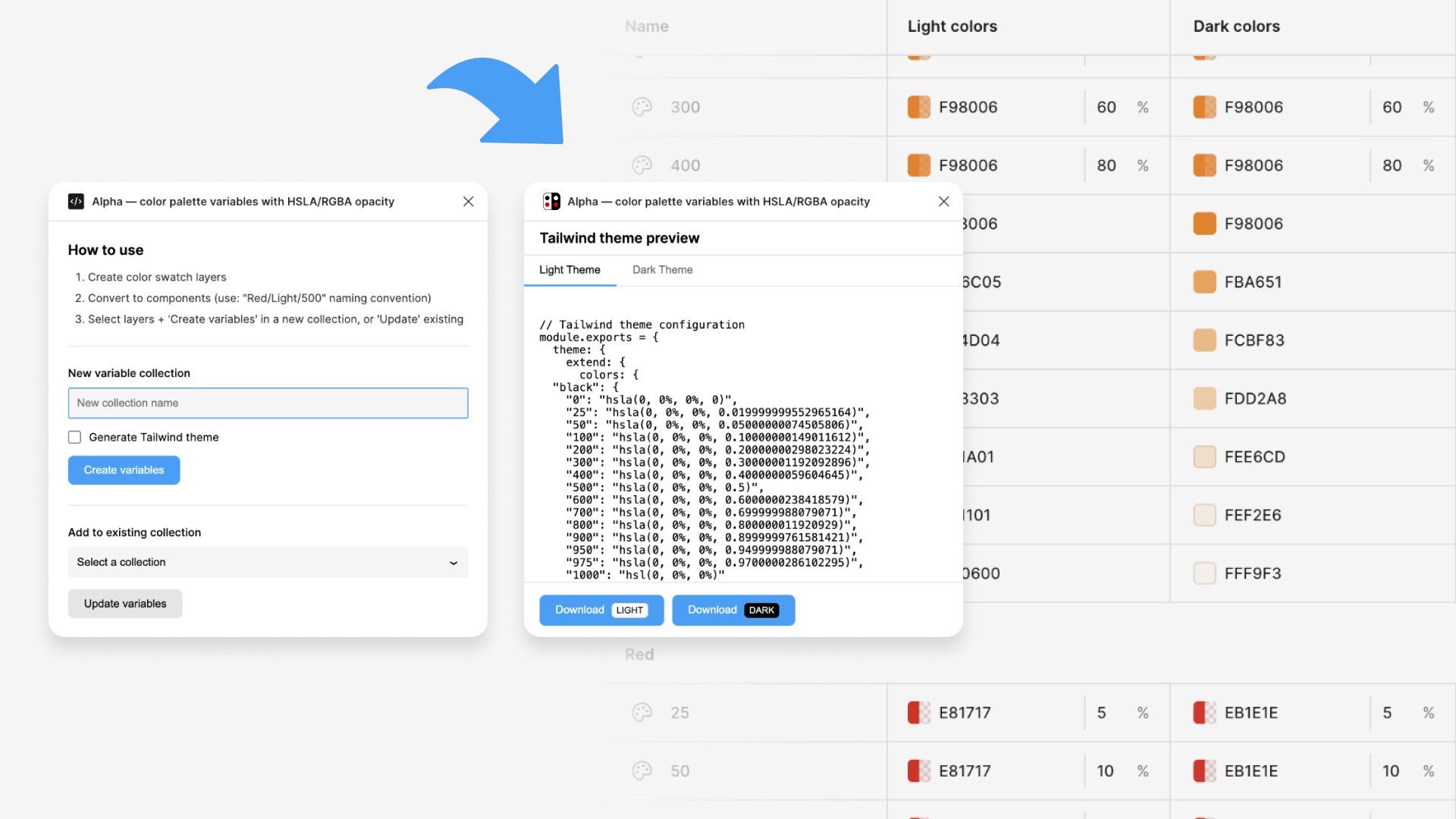
Alpha generates color palette variables with HSLA/RGBA opacity. It also automatically maps Light and Dark mode value pairs and exports tokens in Tailwind theme JSON format.
Why opacity matters in color systems
In a traditional HEX-based color system, each shade is a distinct, opaque value. This works fine until components need to adapt to different contexts — a selected table row, a hover state, a card on a tinted background. When colors are opaque, they clash. A light gray border that looks fine on white becomes jarring on a light blue surface.
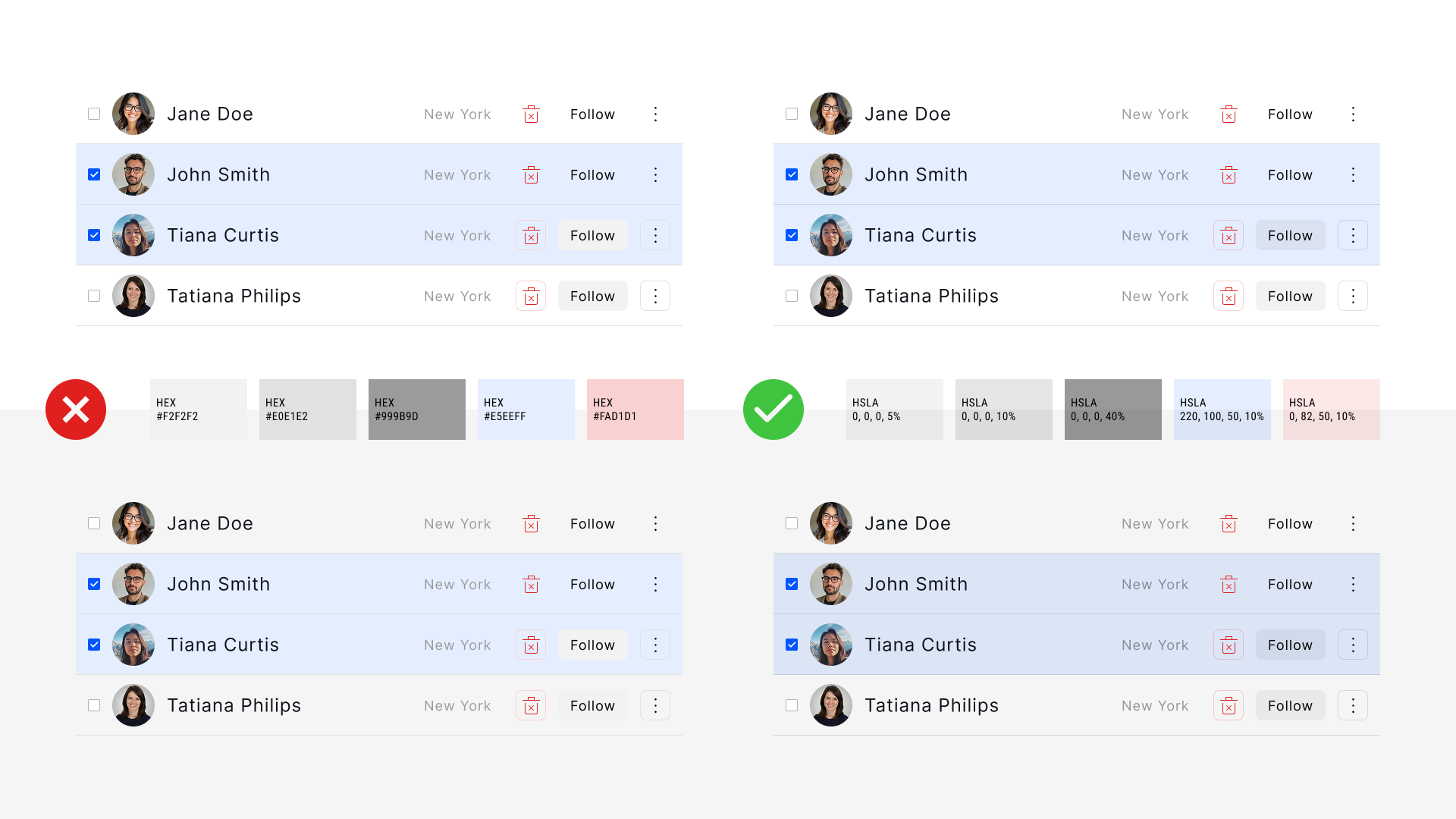
With opacity-based color systems, shades are expressed as percentages of a base color. A 10% black border blends naturally with whatever sits beneath it — white, blue, or anything else. Components maintain consistent contrast regardless of their container, and interactive states transition smoothly without color collisions.
The methodology isn't new, but tooling support has been lacking. Alpha fills that gap.
What it does
The workflow is straightforward: create color swatches as Figma frames, name them using a Theme/Color/Shade convention (e.g., Light/Red/500), select them, and run the plugin. Alpha generates a complete variable collection with Light and Dark modes already paired.
When your color system evolves, Alpha updates existing variables without breaking links to components — no need to reapply tokens across your design files.
Built from necessity
Alpha emerged from repeated friction across multiple design system projects. The need to manually re-enter alpha values after every batch update, the tedium of mapping light and dark primitives one by one — these weren't edge cases, they were the default workflow. So we built something better.
The plugin is free and available on the Figma Community.